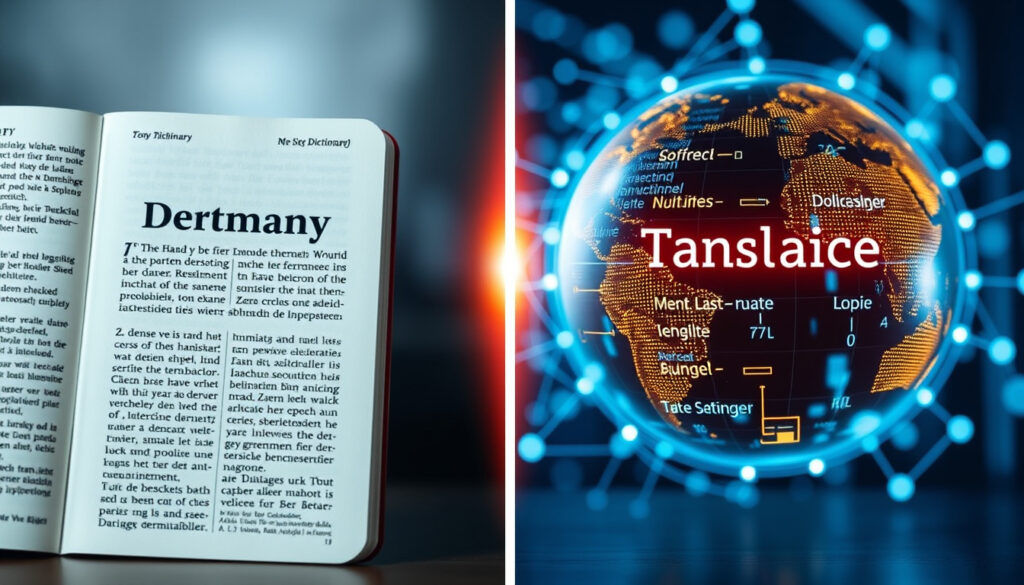
Translate German to English: Best Free Tools & Methods
Anyone who has stared at a German email and caught only half of what it says knows the feeling. This guide sorts through the free ways to get German into natural English — Google Translate, DeepL, dictionary sites, and mobile apps — and matches each tool to the job it does best, backed by a DFKI quality analysis that found DeepL edged Google Translate on fluency in German-to-English tests (DFKI (German Research Center for AI)).
Languages supported by DeepL: 31 (DeepL) ·
Top MT accuracy in DFKI’s German-English test: 75.6% (DFKI (German Research Center for AI)) ·
Free German-English dictionaries: BeoLingus, Leo, dict.cc, PONS, Collins (Learn German Online (resource directory))
Quick snapshot
- Google Translate and DeepL are named the best free options for text, emails, and documents in MirrorCaption’s comparison (MirrorCaption (translation guide)).
- Free German-English dictionaries include BeoLingus, Leo, dict.cc, PONS, and Collins (Learn German Online (resource directory)). (MirrorCaption (translation guide))
- The 2021 WMT evaluation found meaningful quality differences between German-to-English systems (ACL Anthology (MT research)).
- No reviewed study establishes which free tool is reliable for legal or medical German documents. (NLLB (comparison site))
- NLLB ranks DeepL above Google Translate on BLEU and COMET scores, but its test set is not fully documented (NLLB (comparison site)).
- QuillBot says its tool is free with no ads and “accurate” — a self-published claim no independent benchmark in this review covers (QuillBot (translation provider)).
- German-to-English was one of eight language pairs in an early WMT meta-evaluation (ACM Digital Library (academic publisher)).
- The 2021 WMT evaluation ranked Online-W and Facebook-AI as the top German-English systems (ACL Anthology (MT research)).
- The practical signal: translation quality has improved, but the measured ceiling still makes human review the final step (DFKI (German Research Center for AI)).
- For German documents that must read well in English, DeepL’s free file mode is the strongest first move (see the PDF section below).
- For everyday text, travel, and speech, Google Translate is the most convenient default (see the key facts table below).
- Keep a free dictionary open; the fastest error in machine translation is skipping the final check.
Eight decision points, one pattern: free tools cover every mode of translation, but the measured accuracy and the marketing claims are not the same thing.
| Label | Value |
|---|---|
| Most recommended free option | Google Translate — free in browser and app (MirrorCaption (app guide)) |
| Free dictionary set | BeoLingus, Leo, dict.cc, PONS, Collins (see the stats line above) |
| Most accurate tool (claimed) | DeepL — markets itself as “the world’s most accurate translator” (DeepL) |
| Best for document translation | DeepL — free tier translates text and files instantly (see the confirmed-facts list above) |
| Offline support | Google Translate app — download the German pack before you travel |
| Measured accuracy ceiling | Best systems averaged 75.6% in DFKI’s German-English test (DFKI (German Research Center for AI)) |
| Top systems in the 2021 WMT evaluation | Online-W and Facebook-AI (see the timeline card above) |
| Best free option for spoken German | Google Translate’s conversation mode (see the speech section below) |
How to Translate German to English Using Google Translate
Accessing Google Translate via web or app
- Open Google Translate in a desktop browser, or install the free app from your phone’s app store.
- Both versions are free; the key facts table above records the link for the free claim.
- The browser version needs no installation, which makes it the fastest way to test the tool.
“Free” here covers the whole German-to-English direction: text, web pages, documents, voice, and camera are all inside the same app.
Entering text and selecting languages
- Set the left box to German, or choose “Detect language” and let Google recognize the text.
- Set the right box to English.
- Paste or type the German text; the English translation appears as you type.
- Tap the speaker icon to hear the English version spoken aloud.
For short phrases this is a one-tab workflow: paste, read, copy, send. When the German gets longer, quality becomes the variable.
Using Google Translate for free translation
Free is the point and the limit. Google Translate removes every friction point except the final one — quality — and the benchmark research cited in this guide says the last step is still the reader’s.
The pattern: Google Translate has the shortest path from German text to English text, and for everyday messages that is exactly what matters.
How to Translate German PDF Documents to English
Uploading a PDF to Google Translate
- On the Google Translate website, open the “Documents” tab.
- Upload the German PDF and set English as the target language.
- Wait for the processing bar, then download or copy the translation.
This route works best for text-based PDFs. If the PDF is a stack of scanned pages, the camera route below is usually faster.
Using DeepL for document translation
- Open DeepL’s German-to-English translator and click “Translate files.”
- DeepL’s free tier handles text and files instantly; the confirmed-facts list above has the link.
- Choose German to English, upload the PDF, and download the translated file.
DeepL’s German-to-English direction is its flagship, and the free tier is generous enough for most document work.
Converting PDF to text first
- Copy the text out of the PDF and paste it into Google Translate or DeepL when the file will not upload cleanly.
- Check any suspicious passage against one of the free dictionaries in the stats line.
- Keep the original German on screen while reviewing — the fastest error is trusting the first English version.
The trade-off: Google Translate gets the document translated in seconds; DeepL gets it translated in a way that reads like a document. Match the method to whether the layout and tone matter.
How to Translate German Sentences to English Accurately
Using context-aware translators like DeepL
- DeepL’s most useful quality — output that reads naturally — comes from the DFKI comparison linked in the intro of this article.
- Paste the same German sentence into DeepL and Google Translate, then compare the two English versions; disagreement is the warning flag.
- When the engines agree, the meaning is usually safe. When they differ, the sentence needs a human decision.
This is why the “which translator is most accurate” question has no single answer: accuracy depends on the sentence, not on the brand.
Checking translations with dictionaries
- Keep a free German-English dictionary open in a second tab; the stats line lists the common candidates.
- Read the example sentences in the dictionary entry — context beats a definition when a verb has several senses.
- If a translation sounds off, look up the German verb first; machine output tends to pick the wrong sense of a multi-meaning verb.
A dictionary check is the difference between a translation and a guess — and it costs less than a minute.
Manual review for idioms
- Idioms, compound nouns, and regional expressions are where machine output breaks first.
- Translate the idiom literally once to see what the German is actually saying, then write the natural English equivalent yourself.
- For long German sentences, split them before translating; shorter inputs produce cleaner English.
The catch: the DFKI evaluation’s message is not that one brand beats another; it is that the best systems still miss often enough that a careful reader stays part of the workflow.
How to Translate German Speech to English in Real Time
Using Google Translate’s conversation mode
- Open the Google Translate app and tap the conversation icon.
- Select German and English as the two languages; approve the microphone prompt.
- Speak; the app translates your words aloud and does the same in reverse.
Conversation mode is the closest thing to a free live interpreter, and it works best on short, clear sentences.
Speech-to-text apps for translation
- If you install a dedicated speech-translation app, run the same sentence through Google Translate first and compare the results.
- No independent benchmark in the research reviewed here covers consumer speech-translation apps, so test before you trust one.
- Background noise is the main failure point; a quiet room beats a clever app.
Reading German and speaking it are different problems; the real-time mode solves the speaking problem quickly and imperfectly.
Hands-free translation during travel
- Place the phone between the two speakers so it picks up both voices.
- Keep sentences short; long German clauses produce the clunky, word-by-word English that makes the tool feel broken.
- If the app mishears a word, correct the text before reading the translation aloud.
The catch: real-time translation is a speed tool, not a precision tool. It keeps conversations moving and helps with directions, menus, and small talk — it is not the tool for a contract negotiation.
How to Scan and Translate German Text Using Your Camera
Using Google Translate camera feature
- Open the Google Translate app and tap the camera icon.
- Point the camera at the German text; the English translation appears as a live overlay.
- Tap the shutter to freeze the frame and read the full translation at the bottom of the screen.
- Select individual words in the captured image to copy them into the app or a dictionary.
This is the mode that makes menus, signs, and printed instructions legible in seconds.
Third-party scanner translator apps
- Scanner apps add capture and OCR on top of the same translation engines; the extra step rarely pays for a single sign.
- If you are facing a scanned document, photograph it with the Google Translate camera first, then compare with a PDF upload of the same text.
- Handwritten German is the weak spot — OCR quality collapses, and the translation follows.
The camera mode in Google Translate is the standard free route; the trade-offs are light, angle, and sentence length.
Best practices for clear images
- Shoot in even lighting and hold the camera parallel to the text.
- Capture one paragraph at a time for the most readable overlay.
- Cross-check important results with a free dictionary from the stats line.
Camera translation is the most impressive free mode and the least reliable one: good light and short sentences keep it useful, and the accuracy data above is exactly why a blurry photo of a legal sentence should not be the last word.
The pattern: the camera is the fastest bridge from an unreadable sign to a readable one. For anything that matters — a contract, a medical note, a visa letter — a human translation is the only honest finish.
Free German-to-English Translation Tools Compared
Three free options, one pattern: Google Translate wins on convenience, DeepL wins on fluency, and a dictionary wins when precision matters.
| Tool | Price | Best for | Document translation | Accuracy evidence |
|---|---|---|---|---|
| Google Translate | Free (browser + app) | Everyday text, travel, quick lookups | PDF upload in the web tool | Slightly behind DeepL in DFKI’s German-English test (see accuracy section above) |
| DeepL | Free tier for text and files | Documents that must sound natural | Yes — text and files instantly (see PDF section above) | More natural and fluent than Google Translate in a DFKI evaluation (linked in the intro) |
| Collins Dictionary | Free (Learn German Online) | Word-level checks and example sentences | — | Not machine translation — human-edited reference |
The takeaway: no single tool wins all the columns. Google Translate is the best default, DeepL is the best editor, and a dictionary is the best referee.
How to Choose the Right German-to-English Translation Method
Match the tool to the input, and the decision gets simple.
- Identify the input: plain text, PDF, speech, or camera.
- Plain text: paste it into Google Translate for speed (free, as covered above).
- PDF: upload it to DeepL’s free file mode when the layout and tone matter.
- Single word or idiom: open Collins or Leo and read the example sentences.
- Speech: use Google Translate’s conversation mode with short sentences.
- Signs and menus: use Google Translate’s camera, then cross-check names with a dictionary.
- Send anything a person will read through one final human pass — the accuracy ceiling in the snapshot above is the reason.
The trade-off: a tool chain beats any single app. Match the method to the input, and the failure rate stops being the story.
What’s Confirmed and What’s Still Unclear About German-to-English Translators
The honest summary of the evidence, separated into what the sources agree on and what remains open.
Confirmed
- DeepL’s free tier translates German text and files instantly (DeepL).
- Google Translate is one of the best fully free options for everyday text and travel, according to MirrorCaption’s app guide (MirrorCaption (app guide)).
- The 2021 WMT evaluation found meaningful quality differences between German-to-English systems (ACL Anthology (MT research)).
Unclear
- Which free tool, if any, is reliable for legal or medical German documents has not been established by the studies reviewed here.
- Whether DeepL’s “world’s most accurate translator” claim holds outside the company’s own blind tests remains open; the DFKI comparison linked in the intro is the closest independent check.
- NLLB ranks DeepL above Google Translate on BLEU and COMET scores, but the test set behind that ranking is not fully documented (NLLB (comparison site)).
- QuillBot’s “accurate instant results” promise is self-published and not covered by the benchmarks in this guide (QuillBot (translation provider)).
The pattern: the confident marketing claims and the measured reality sit at different levels. Free tools are genuinely useful; they are just not quite what their own pages say they are.
What Translators and Evaluations Say
DeepL markets its German-to-English translator as free, instant, and “the world’s most accurate” — a claim it bases on blind tests.
DeepL, company translator page (cited in the key facts table)
In a direct quality comparison with Google Translate, DeepL performed a little better on the German-English test set and produced more natural, fluent output in example inspections.
DFKI, German Research Center for AI (linked in the intro)
The 2021 WMT evaluation found meaningful quality differences in macro-average test-suite accuracy among German-to-English systems.
ACL Anthology, machine-translation research (see the Quick snapshot)
Free translation apps are semi-professional tools designed for portable devices — useful on the go, not a substitute for a professional translator.
Learn German Online, free-resource directory (see the stats line)
Why this matters: put the vendor language next to the independent evaluations and the same picture appears — DeepL leads on fluency, Google Translate leads on reach, and a dictionary is the cheapest insurance against both.
Free German-to-English translation has never been easier, and the evidence supports a simple split: DeepL for documents and anything that must sound natural, Google Translate for everyday text, speech, and signs, and a dictionary for the final word on tricky terms. For a freelancer sending a German quote or a student submitting a translation, the implication is clear — let the machine make the first pass, keep the accuracy ceiling from DFKI’s evaluation in mind, and read the English once before anyone else does. Skip that pass, and the machine’s error rate decides for you.
Frequently asked questions
Is Google Translate free for German to English?
Yes. Google Translate is free in the browser and in its mobile app, and independent app guides place it among the best fully free options for everyday text and travel (see the Google Translate section above).
Can I translate a German PDF using DeepL for free?
Yes. DeepL’s free tier translates text and files instantly — the document section above walks through the file-upload steps. When the layout matters, DeepL is the stronger first choice.
Which translation app works offline?
The Google Translate app is the standard free answer. Download the German language pack while you are online, then translate in airplane mode; the key facts table lists this as the offline option.
How accurate is Google Translate for German to English?
In a DFKI quality analysis, DeepL performed a little better than Google Translate and produced more natural output (linked in the intro). The same evaluation showed that even the best systems still miss a meaningful share of test items, so important messages deserve a manual check.
Does Google Translate support voice translation for German?
Yes. Open the app, tap the conversation icon, choose German and English, allow microphone access, and speak. The app translates aloud in both directions.
What is the best camera translator for German text?
Google Translate’s camera mode is the most direct free route: point the app at the German text and read the English overlay. For anything important, cross-check the result with a free dictionary from the stats line.
More related posts
 5 Letter Word Containing: Find Words with Specific Letters
 Posiciones de la Liga 2025-26: Updated Standings Table
 What Football Is On Today? Live Matches & TV Schedule
 16 Guard Buzz Cut: Length, Meme & Why Barbers Forbid It
 Easy Chilean Recipes at Home: Authentic and Simple
 Hotel Club Es Talaial: Reviews, Amenities & Transfer Info
 Easy Ways to Eat Healthier: 10 Simple Tips & Swaps
 How to Stop a Nosebleed: First Aid, Causes & When to Seek Help
