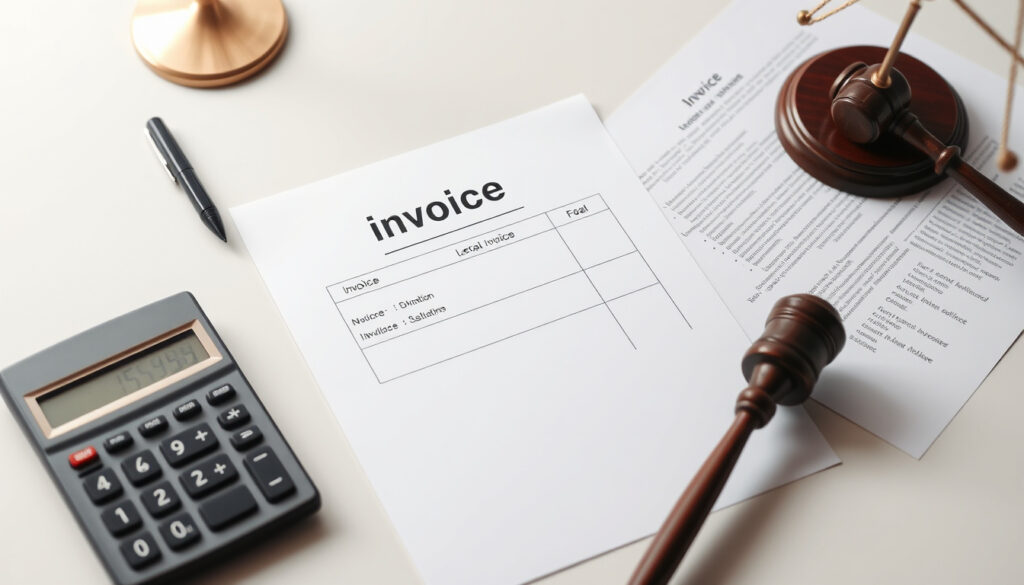
How to Make an Invoice: Templates and Legal Guide
That moment after the work is done and the client is happy—asking for payment shouldn’t undo your good reputation. A well-made invoice does that asking for you, and it does it professionally with all the right details. This guide walks through the essential steps to create an invoice, covering the legally required elements, free tools you can use today, and the common mistakes that delay payments. You’ll leave with a clear workflow, whether you’re sending your first invoice or refining an existing process.
Small businesses in the US: 33.2 million ·
Invoices paid late on average: 60% ·
Average cost to process an invoice: $15
Quick snapshot
- A unique invoice number is required on every invoice (GOV.UK guidance)
- Australian businesses must issue a tax invoice for sales over A$82.50 including GST (business.gov.au)
- Free invoice templates are available from Canva and Microsoft Excel (Canva)
- Specific tax rates vary by country and jurisdiction
- Whether a personal invoice is accepted by tax authorities depends on your local rules
- Average invoice processing time sits around 30 days (business.gov.au)
- Australian law requires a tax invoice within 28 days if a customer asks (business.gov.au)
- Choose a free template or tool and set up your first invoice
- Build a numbering system and payment terms before you need them
The table below lays out which elements regulators actually require versus what’s merely recommended.
| Invoice Element | Required? | Notes |
|---|---|---|
| Unique invoice number | Yes | Required by GOV.UK guidance and Stripe’s invoice requirements |
| Seller name and address | Yes | Include contact details and legal entity name (GOV.UK guidance) |
| Buyer name and address | Yes | Customer details for tracking and legal clarity (GOV.UK guidance) |
| Invoice date | Yes | Date of issue, may differ from supply date (Sprintlaw UK guide) |
| Description of goods/services | Yes | Clear description with quantity and price (business.gov.au) |
| Amount and tax | Yes | Subtotal, tax if applicable, total due (Stripe’s invoice requirements) |
| Payment terms | Recommended | Clearly stated terms speed up payment (Stripe’s invoice requirements) |
The implication: meeting the bare legal minimum takes just seven fields, but skipping recommended items like payment terms is where payment delays start.
How do I make my own invoice?
Creating an invoice from scratch is straightforward once you know the workflow. The standard process follows a logical sequence: pick a template, add your business details, enter the customer’s information, assign a unique number, set the dates, list what you’re charging for, and calculate the total with any tax (Square’s operating guide). You can do this manually in a document, use a template, or automate with software—each approach has its place.
How to write a simple invoice?
- Start with the word “Invoice” clearly at the top of the page (Stripe’s invoice requirements)
- Include your business name, address, and contact information
- Add the client’s name, company, and billing address
- Assign a unique invoice number and state the invoice date
- List each item or service with description, quantity, and rate (Stripe’s invoice requirements)
- Calculate the subtotal, add any tax, and show the final amount due
For a simple invoice, the goal is clarity over design. A clean layout with clear categories (Description, Quantity, Unit Price, Total) makes it easy for the client to understand what they’re paying for and reduces the chance of disputes (business.gov.au template structure).
Can I create an invoice on my phone?
Yes, and it’s practical for freelancers who work on the go. Free apps like Canva and Microsoft Excel both offer mobile-friendly invoice templates that sync across devices (Canva’s template library, Microsoft Excel templates). You can fill in a template, save it as a PDF, and email it directly from your phone.
Your phone is enough for invoicing—the barrier isn’t the device, it’s having a system with consistent numbering and payment terms.
What is legally required to be on an invoice?
Legal requirements differ by country, but some elements are universal. In the UK, an invoice must include a unique identification number, the seller’s name and address, the customer’s name and address, a clear description of charges, the supply date, the invoice date, amounts charged, VAT if applicable, and the total amount owed (GOV.UK’s invoice requirements). UK companies must also show their company registration number and registered office address (1st Formations’ compliance guide).
In Australia, the rules are similar but with a GST twist. Businesses registered for GST must issue a tax invoice for taxable sales over A$82.50, and must provide one within 28 days if asked (business.gov.au’s invoicing guidance). A tax invoice needs the words “tax invoice,” your business name, ABN, issue date, a description of what was sold, and the GST amount if applicable (business.gov.au). For businesses not registered for GST, a regular invoice works fine (Commonwealth Bank of Australia’s guide).
Is a handwritten invoice legal?
Yes, a handwritten invoice is legal as long as it’s legible and contains all the required information. The format doesn’t change the legal status—what matters is that the document includes the key fields like invoice number, dates, seller and buyer details, and the amount (GOV.UK guidance). That said, handwritten invoices are harder to track and easier to lose, so most businesses prefer a digital format for record-keeping.
Can I write a personal invoice?
Yes, individuals can issue invoices for freelance work or services. The invoice serves the same function—documenting a transaction and requesting payment. However, whether a personal invoice qualifies as a business expense for the buyer depends on local tax rules. In Australia, for example, a standard invoice from a non-GST-registered individual is acceptable for most purposes (Commonwealth Bank of Australia).
Can a private person issue an invoice?
Yes, private individuals can issue invoices, which is common for freelancers and independent contractors. The key is that the invoice includes your name and contact details so the client knows who to pay and how to reach you if there’s a question (GOV.UK guidance).
Handwritten and personal invoices are legal, but they put more burden on you to track them properly—the risk of late or missed payments rises without a digital trail.
Is there a free invoice template?
Yes, there are excellent free options. Canva offers free, printable, professional invoice templates that can be customized to match your brand (Canva’s template library). Microsoft Excel provides free invoice templates that support entering products, services, quantities, rates, balances, and taxes (Microsoft Excel templates). Business.gov.au also offers downloadable regular and tax invoice templates in Word format (regular invoice template, tax invoice template).
Is there a totally free invoice app?
Several apps offer free tiers, but they often come with limitations on the number of invoices or features. Billdu offers a free library of professional invoice templates designed for small businesses, freelancers, and contractors (Billdu’s template collection). Canva and Microsoft Excel are also free to use with their template systems, though Excel requires a subscription for the full version.
Six templates, one pattern: the free options differ in design and platform, but they share the same core fields—business info, client details, line items, and totals. The choice comes down to whether you need automation (Excel formulas) or design flexibility (Canva).
For freelancers just starting out, free templates eliminate the upfront cost of invoicing software. The trade-off is manual tracking—you’ll need to keep your own records of what’s been sent and what’s outstanding.
The implication: free tools are perfect for low-volume invoicing. The moment you’re sending ten or more invoices a month, the manual tracking becomes the bottleneck, and that’s when paid software starts to justify its cost.
What are the three types of invoices?
The three main types are pro forma invoices, commercial invoices, and credit notes. A pro forma invoice is a preliminary document sent before work begins, outlining what will be charged. A commercial invoice is the final document requesting payment after goods or services are delivered. A credit note is issued to correct an error, apply a discount, or cancel part of a previous invoice.
Other types exist—recurring invoices for subscriptions and timesheet invoices for hourly work—but these three cover the core lifecycle of a transaction: quote, payment request, and adjustment.
The trade-off: pro forma invoices set expectations but aren’t legally binding in most jurisdictions, while commercial invoices are the enforceable document. Issuing the wrong type can create confusion about what the client is actually obligated to pay.
What are common invoicing mistakes to avoid?
The most common mistakes are missing an invoice number, incorrect tax calculations, vague descriptions of services, not including payment terms, and sending the invoice too late. Each error creates friction that delays payment or opens the door for disputes.
Do I need to have a business to make an invoice?
No, you don’t need to register a business to issue an invoice. Freelancers and independent contractors can and should invoice for their work. The invoice acts as a professional request for payment and a record of the transaction. In the UK, even sole traders operating under their own name can issue valid invoices—they just need to include the required information (GOV.UK guidance).
- Missing invoice number: Every invoice needs a unique identifier for tracking and legal compliance (GOV.UK guidance)
- Incorrect tax: Getting GST or VAT wrong can create legal issues, especially for registered businesses in Australia (business.gov.au)
- Vague descriptions: Clear itemization prevents disputes about what was delivered (Stripe’s invoice requirements)
- No payment terms: Without stated terms, clients default to their own timeline—often 30 days or longer (Stripe’s invoice requirements)
- Late sending: The longer you wait, the longer you wait to get paid
What this means: the mistakes are all preventable with a consistent template and a checklist. The cost of each mistake compounds—a missing tax field in Australia can mean re-issuing the invoice and delaying payment by weeks (Commonwealth Bank of Australia).
Small businesses in the US pay the price of late invoices every month—60% of invoices are paid late, and the average processing cost is $15 per invoice. A template with the right fields eliminates most of these errors.
Summary
Making an invoice isn’t complicated—it’s about consistency and completeness. Every invoice needs the core fields: your details, the client’s details, a unique number, dates, clear line items, and the total with any tax. Free tools from Canva, Microsoft Excel, and government sources handle the formatting; the rest is building a repeatable process. For freelancers and small businesses just starting out, the immediate step is picking a template that matches your local legal requirements. For businesses already sending invoices, the next move is auditing your current process against the legal checklist from your country’s regulator. US-based small businesses should adopt a system that includes automatic numbering and stated payment terms—or keep manually tracking invoices and accept that 60% of them will arrive late.
Frequently asked questions
How do I number invoices?
Use a sequential numbering system that starts with a prefix or year, like INV-2025-001. The key is that each number is unique—no two invoices should share the same identifier (GOV.UK guidance).
What is the difference between an invoice and a receipt?
An invoice requests payment and is sent before or at the time of delivery. A receipt confirms that payment has been received. They serve different purposes and both are important for record-keeping.
How to send an invoice by email?
Attach the invoice as a PDF, use a clear subject line like “Invoice [Number] from [Your Business],” and include a short message with the payment link or instructions. Many businesses also set up automatic reminders for overdue invoices (Stripe’s invoice requirements).
How to handle late payments?
State your payment terms clearly on the invoice, send a polite reminder after the due date, and consider adding late fees if your terms include them. For persistent late payments, a formal follow-up letter or email is appropriate.
Can I use a generic invoice template?
Yes, generic templates work as long as they include the legally required fields for your jurisdiction. The layout is flexible; the information is not. Tools like Canva’s template library and Microsoft Excel templates offer templates that meet these standards.
Do I need to include tax on every invoice?
Not always. In Australia, for example, you only include GST if you’re registered for it and the sale qualifies. For businesses not registered for GST, a regular invoice without tax is appropriate (Commonwealth Bank of Australia). Check your local tax rules for specifics.
Related reading
More related posts
 Paramount Hotel New York – Status, History and Facts
 Cast of Maze Runner: Complete Guide to Actors & Characters
 Google Translate Romanian English: Translate Text & Audio
 Galway vs New York: Score & How to Watch GAA in US
 1616 Angel Number Meaning: Love, Twin Flame & Positive Changes
 The End We Start From: Film Guide & Ending Explained
 Leeds United vs Man City Timeline: Full Head-to-Head History
 Free YouTube to MP3 Converter – Safe & Fast Online 2025
