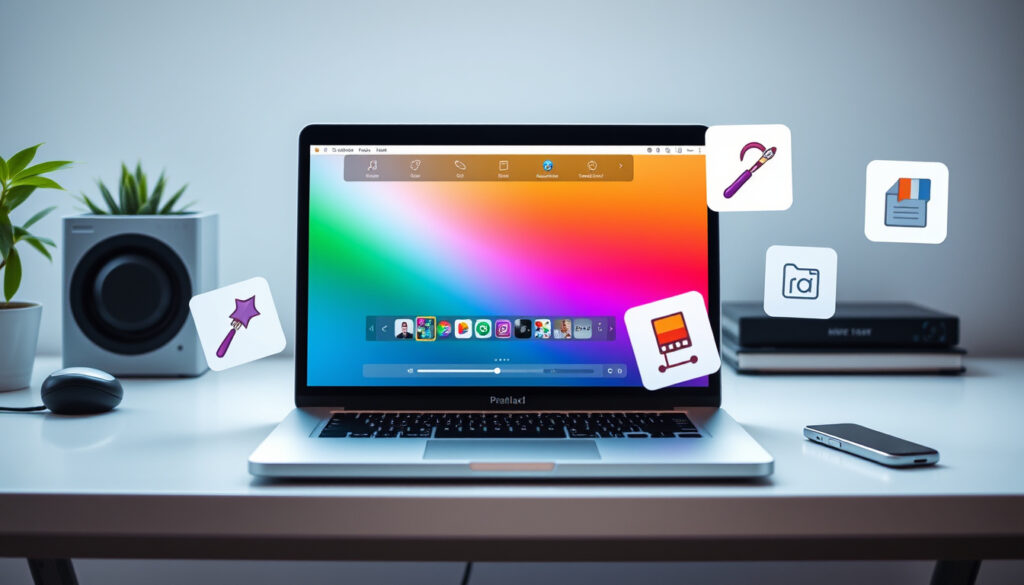
Best Free AI Photo Editor: 100% Free Tools for Photos (2025)
Anyone who’s spent an afternoon hunting for a photo editor that won’t ask for a credit card or a monthly subscription knows the frustration all too well. The good news for 2025: a growing wave of browser-based tools now deliver surprisingly capable AI editing for absolutely nothing, no sign-up walls included. This guide compares six of the most talked-about free AI photo editors, separating the genuinely useful freebies from the ones with fine print, and looks at what that means for Adobe’s hold on the market.
Top free AI photo editors in analysis: 6 · Free tools allowing no sign-up: 2 · Free tools with AI text prompts: 4 · Free tools offering background removal: 4 · Free tools with generative image features: 3
Quick snapshot
- Pixlr is free with 20+ editing tools (Pixlr)
- PhotoEditorAI requires no sign-up (PhotoEditorAI)
- Adobe Firefly has a free tier (Adobe)
- EzCreate has no sign-up or credit card required (EzCreate)
- AI image editor collections updated in August 2025 (FreeNoSignup)
- Free tiers are expanding as AI photo editors gain traction
The six tools below break down into two groups: those from established brands using free tiers as a gateway, and newer no-frills editors that are entirely free as a core promise. The pattern is telling.
| Metric | Value |
|---|---|
| Total free AI photo editors covered | 6 |
| Free editors with no sign-up required | 2 |
| Free editors with text-to-image generation | 3 |
| Free editors from established brands | 2 |
| Tool | Free Tier | No Sign-up | AI Text Prompts | Background Removal | Generative Features |
|---|---|---|---|---|---|
| Pixlr | Yes (with limits) | No | ? | Yes | Yes |
| Adobe Firefly | Yes (limited credits) | No | ? | ? | Yes |
| PhotoEditorAI | Free | Yes | Yes | ? | ? |
| EzCreate | Free | Yes | Yes | Yes | ? |
| Pict.AI | Free | Yes | Yes | ? | Yes |
| Turner AI | Free (with queue) | Yes | Yes | ? | ? |
Upsides of Free AI Photo Editors
- No cost for occasional use
- Browser-based, no installation needed
- Increasingly capable AI features
Downsides
- Usage caps and watermarks common
- Limited advanced features compared to paid
- Data privacy concerns with some tools
Is there a totally free AI photo editor?
Yes, and the market has split into two camps. The first camp, represented by EzCreate, offers a free AI photo editor with no sign-up, no hidden subscriptions, no watermarks, and no credit card requirement. FreeNoSignup lists an AI image editor collection updated in August 2025 and says the tools work without creating an account. On the other side, established players like Pixlr and Adobe Firefly offer free versions but with limits—Pixlr caps monthly saves, and Adobe Firefly gives a limited number of generative credits.
What “totally free” typically means
“Totally free” usually means one of three things: no sign-up at all, no watermarks, or no usage caps. Few tools deliver all three. EzCreate claims all three. Pict.AI says basic AI image editing and generation work with no signup, no account, and no email, while Turner AI says its free AI photo editor has no cost or registration requirements.
Examples of truly free AI photo editors
- EzCreate — no sign-up, no watermarks, no credit card
- Pict.AI — no signup, no account, no email
- Turner AI — free access with no registration
Common limitations of free tiers
Free tiers often restrict output resolution, add watermarks, or limit the number of edits per day. IObit says its AI Photo Editor is 100% free, while Rewind.ai says a daily token pool resets every 24 hours.
For casual users, “totally free” is real—but only if you’re willing to accept either a sign-up wall elsewhere or a slower queue. The truly free no-sign-up options are still in the minority.
The implication: the truly free no-sign-up options are still a minority, but the trend is growing.
Which free AI image editor has no sign-up?
Two tools stand out for eliminating the account-creation hurdle entirely. EzCreate says users get 8 free credits for instant editing without logging in. Pict.AI confirms it requires no sign-up, and Turner AI says its homepage editor works without login and lets users upload an image and write a prompt.
No-sign-up tools often balance convenience with either a queue or limited features. Turner AI admits users without an account might experience a short queue.
The catch: no-sign-up tools often trade convenience for limitations, so users should weigh their needs.
Which free AI photo editor is 100% free in 2025?
Three tools make the “100% free” claim directly: IObit, Pict.AI, and HeadshotMaster. IObit says its AI Photo Editor is free. Pict.AI says basic AI image editing and generation work with no signup, and HeadshotMaster says its AI photo editor is free, online, and does not require signup.
Pixlr: the most popular free online editor
Pixlr positions itself as a free AI photo editor with 20+ editing tools, but it’s not entirely sign-up-free—free users face monthly save limits. Adobe Photoshop Express offers a free version too, but with a 2GB storage cap.
No-sign-up editors: PhotoEditorAI and EzCreate
PhotoEditorAI requires no sign-up, and EzCreate gives 8 free credits without logging in. EditThisPic says its free weekly edit works with no account, no email, and no credit card.
Which free AI photo editor has the best free plan?
The “best” free plan depends on what you edit most. Pixlr offers the most tools free, but limits saves. EzCreate gives 8 free credits with no sign-up. Turner AI offers free access with no registration but may queue you.
Criteria for a strong free plan
Compare resolution caps, editing tools, and export options. Pict.AI says its platform includes more than 150 AI tools across image generation and editing tasks, making it arguably the most comprehensive free offering.
For hobbyists, Pixlr’s broader feature set outweighs its save limits. For quick one-off edits, EzCreate’s no-sign-up credits are more practical.
The trade-off shows that the best plan depends on usage pattern.
What is the best free AI photo editor right now?
As of mid-2025, the answer is context-dependent. For a browser-based editor that feels like a mini-Photoshop, Pixlr remains the most complete free option. For users who want no sign-up and no limits, EzCreate is the strongest contender. Pict.AI offers a middle path with 150+ tools.
Best free AI photo editor for quick edits
For removing backgrounds or touching up a portrait without signing up, EzCreate and Turner AI are the fastest. Both allow prompt-based editing with no account.
Best free AI photo editor for advanced editing
Pixlr and Adobe Firefly lead for advanced features, though Firefly’s free tier is limited to generative credits. Pict.AI also steps up with more tools than most free rivals.
For users, the free tier is no longer a gimick—it’s a genuine alternative. The risk is picking a tool that adds a water mark or caps your work, so the safest bet is a no-sign-up editor for occasional use or Pixlr for regular projects.
Why this matters: the free tier is now a genuine alternative, but choosing wisely is key.
What AI app is everyone using to edit their photos?
Among the most widely adopted free tools, Pixlr and Adobe Firefly lead in popularity. Pixlr’s browser-based interface appeals to casual editors, while Adobe Firefly’s generative features attract creative professionals. For users who prefer mobile editing, apps like Snapseed and Remini are also popular, though they may have different free tiers.
- Pixlr – browser-based free editor
- Adobe Firefly – generative fill free tier
Can ChatGPT edit photos for free?
ChatGPT Plus offers AI image generation, but the free tier is limited, and ChatGPT cannot edit existing photos directly. For actual photo editing, dedicated free tools like Pixlr and EzCreate are far more practical.
ChatGPT’s photo editing capabilities
ChatGPT’s image generation is limited to DALL-E integration, and it cannot edit existing photos. OpenAI’s help center notes the free tier gets faster generation times, but ChatGPT pricing restricts image generation on the free plan.
Limitations of free ChatGPT for photo editing
Free ChatGPT users face generation limits and no direct editing. The tool is designed for text and image generation, not pixel-level retouching. OpenAI says image generation is available to free users but comes with limits.
Alternatives to ChatGPT for free photo editing
For editing, Pixlr and EzCreate are better choices. Pict.AI also offers text-prompt editing with no sign-up.
Which AI image generator is the best?
For free image generation, Pixlr and Adobe Firefly are top picks, though Firefly’s free tier is limited. EzCreate offers text-prompt editing for free.
Criteria for best AI image generator
Look for resolution, prompt adherence, and no watermarks. Pict.AI stands out for its 150+ tools, while Pixlr offers more control.
Free generators: DALL-E 2, Stable Diffusion, Midjourneyh3>
DALL-E 2 offers limited free credits, Stable Diffusion is open-source and free, and Midjourney is subscription-only. OpenAI details DALL-E 2’s free credits.
Which free AI is better than ChatGPT?
For photo editing, Pixlr and EzCreate are more capable than ChatGPT. Pict.AI also outperforms ChatGPT for editing tasks since it’s designed for that purpose.
Comparing free AI alternatives
Pixlr is a dedicated photo editor, while ChatGPT is a chatbot with image generation. Pict.AI offers 150+ tools, making it a more complete free package.
upsampler.com, visualgpt.io, ezmaker.ai, genigpt.net, rewind.ai
Frequently asked questions
What is the difference between a free and paid AI photo editor?
Free editors cap resolution, add watermarks, or limit exports; paid ones typically remove those limits. Pixlr explains its free vs. paid tiers.
Can I use AI photo editors offline for free?
Most free AI editors require an internet connection since they run in the browser. Pixlr is browser-based, so offline isn’t supported.
Are free AI photo editors safe to use?
Yes, if you stick with reputable tools. Adobe and Pixlr have clear privacy policies, but always check what data the tool collects.
How often do free AI photo editors update their features?
Updates vary; FreeNoSignup was updated in August 2025. Pixlr adds tools regularly.
Which AI photo editor is best for beginners?
Pixlr is user-friendly with one-click tools, while EzCreate is simpler for prompts.
Do free AI photo editors watermark images?
Some do; EzCreate claims no watermarks, but others may add them as a free-tier limitation.
Related reading
For the US market in 2025, the choice is no longer binary: free AI photo editors now offer what was once paid-only, but the trade-off between no-sign-up convenience and feature depth is very real. Either pick a quick, no-account editor for fast edits — or a fuller suite that asks for an email — because in both cases, the free tier is genuinely functional for Americans who edit casually.
“Pixlr gives you a powerful AI photo editor… 100% free”— Pixlr
“Edit photos instantly with AI… Fast, free”— Adobe Firefly
More related posts
 Best Coffee Machine with Grinder 2026: Reviews & Buying Guide
 1616 Angel Number Meaning: Love, Twin Flame & Positive Changes
 French Onion Soup Recipe – Classic with Caramelized Onions
 Simple Hair Styles for Men: Top Low-Maintenance Cuts
 Tom Aspinall vs Ciryl Gane: No Contest at UFC 321 and Next Steps
 How to Stop a Nosebleed: First Aid, Causes & When to Seek Help
 LeoFame Free TikTok Likes – Complete 2025 Guide
 When Is Easter in 2026? April 5, Good Friday & Why Late
